What VIOS is
VIOS turns the Agon Light 2 into a self-contained Forth workstation. It does not run on top of MOS or BBC BASIC. At power-on the resident image reaches the eZ80's RAM in one of two ways: the ESP32 writes it over the ZDI debug link, or, without that link, MOS starts a small stub that fetches the image from the SD card or from the ESP32 firmware (untethered boot). From then on the CPU runs VIOS alone and makes no MOS calls.
The ideas come from Forth, from Smalltalk and Lisp machines (a live system you inspect and change while it runs), and from Unix and Plan 9 (small tools, pipes, everything reachable as a named device):
- A native Forth with 24-bit cells. Two threaded-code engines written in
eZ80 assembly (DIRECT, the default, and TOKEN) plus a C reference engine
that defines the semantics. The compiler keeps the source of every word, so
SEEand the GUI tools show exactly what you typed. - Live, transactional development. Source modules are staged, tested, activated and rolled back as units; two generations are kept; activation is checked against pinned dependencies. Saved modules form A/B boot slots on the SD card, so a bad update can be reverted.
- Tasks, handles and devices. Four preemptive background tasks, pipes
between them, non-blocking I/O handles on SD files, pipes and
/devendpoints, and user devices served by Forth words. - A windowed GUI on the ESP32. The ESP32 (the Agon's video processor)
runs a display server with windows, menus, widgets, editable text views,
animation and two looks: Smalltalk and Turbo Vision. The CPU drives
it with compact operation batches; Forth words (
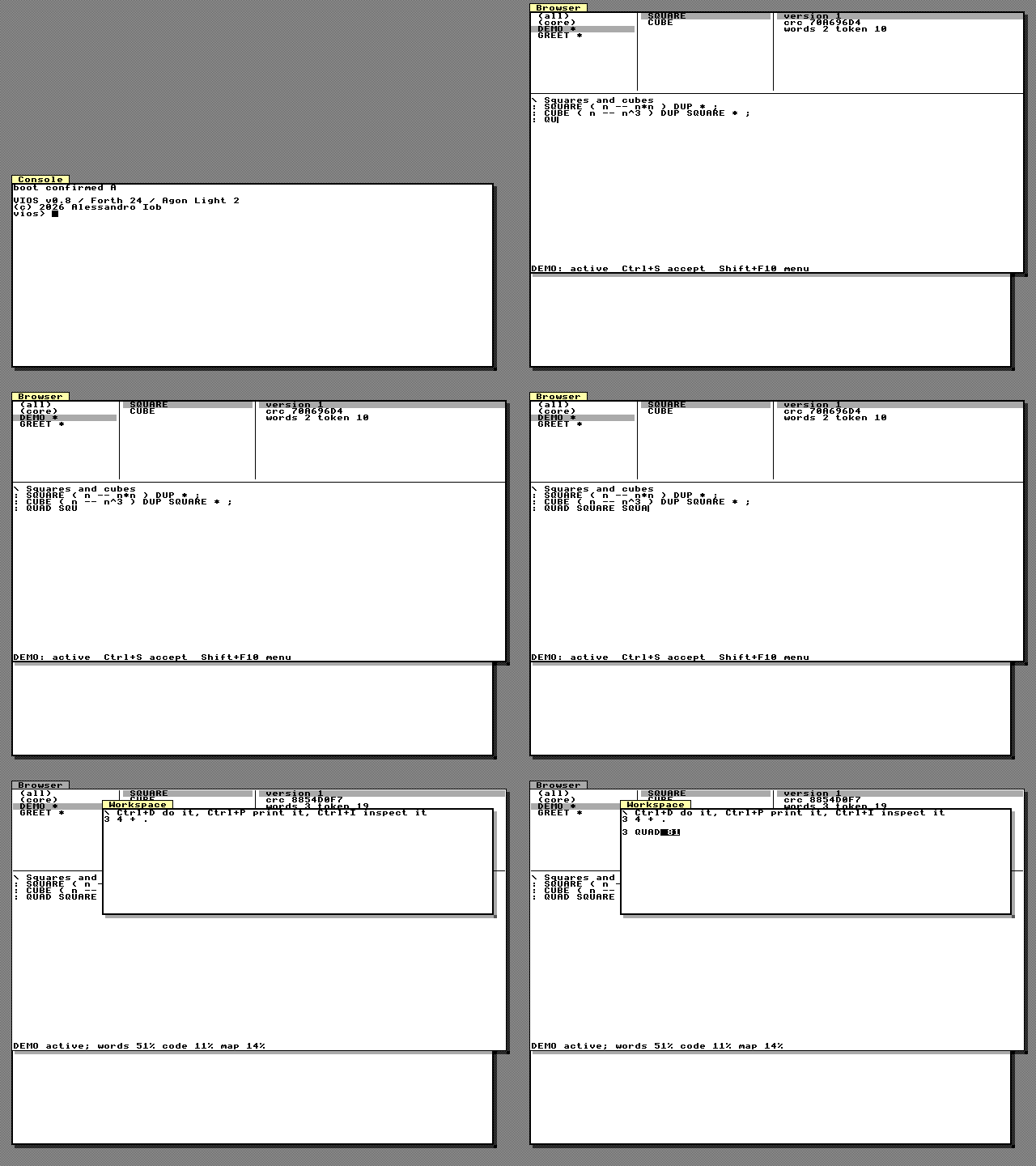
UI-…) expose all of it. - Smalltalk-like tools. A Browser to read and change modules live, a Workspace to evaluate code (do it, print it, inspect it), an Inspector for the stack, tasks, handles and the system, and a Manager for boot slots and saved modules.
- Sound. A three-voice synthesizer on the ESP32 plays notes and tunes written as text.
- Headless control. A host harness on the Mac owns the USB link and offers every operation to a human CLI and, as MCP tools, to LLM clients. Everything you can do at the keyboard can be done from the host, and the console shows what the host does.
What VIOS is not (yet)
VIOS is an OS foundation, not a finished system. There is no memory
protection (the eZ80 has none), no general garbage collector or module
unload, no networking on the board, and the running heap is not saved: what
persists is source (modules and USER.FTH). The compiler and the outer
interpreter are written in C. These limits are spelled out where they matter
and collected in the appendix.
How to read this manual
- New to VIOS? Read Architecture, then follow Building, Installing and First Boot and Setup in order.
- Already running VIOS? Start at The Console and REPL and The Forth Language, then The GUI Tools.
- Looking up a word? Go to the Word Reference; every word
has an anchor, for example
DUPorUI-WINDOW.
Conventions: MONOSPACE is something you type or a file name; Ctrl+Shift+B
is a key chord on the Agon's PS/2 keyboard; stack effects are written
( before -- after ) with the top of the stack on the right. Shell commands
run on the host (macOS or Linux) from the repository root.
Images in this manual
The screenshots and animations are not mock-ups. tools/manual/vios_shots.c
links the real CPU-side code (the Forth system, the UI-… words and the GUI
tools) with the real ESP32 display server (firmware/esp32-vios/lib/vios-vds)
through a stubbed VDP link, presses keys exactly as the keyboard would, and
saves the 640×480 framebuffer. The scenes are in docs/manual/scenes/;
python3 tools/vios_manual.py media regenerates every image. Two things
differ from a board: the host build runs the C reference engine (so the
Inspector shows engine C where the board shows DIRECT), and SD, boot and
task data come from host stubs.